





The queue is building, the trim tub is full, and the mincer that looked fine on paper is already slowing down. You feed in clean beef trim and get heat, smear, and a line of staff waiting on one machine. That's usually the point where operators realise a commercial meat mincer isn't just a purchase. It's part of margin, labour flow, hygiene, and whether the day stays on schedule.
In small shops, the wrong unit turns prep into overtime. In bigger rooms, it does worse than that. It creates sanitation headaches, chews through knives and plates, and leaves production exposed when a motor or cutting set isn't built for the load. A cheap machine can become an expensive one very quickly once cleaning time, blade wear, and downtime start biting.
The better approach is simple. Buy for the way you process meat. That means matching the machine to your daily volume, peak rush, product mix, cleaning regime, and Australian compliance requirements. The sticker price matters. The ownership cost matters more.
Table of Contents
- Your Guide to Choosing a Commercial Meat Mincer
- Matching Mincer Type and Capacity to Your Business
- Decoding Motor Power and Throughput Specs
- Construction Materials and Sanitisation Requirements
- Choosing Your Plates Knives and Attachments
- Integrating the Mincer into a Processing Workflow
- Installation Maintenance and Spare Parts Planning
Your Guide to Choosing a Commercial Meat Mincer
A butcher shop usually hits the same wall the same way. Trade picks up, burger demand grows, sausage runs get bigger, and the existing machine starts acting like every batch is hard work. The auger feeds, but not cleanly. The mince warms up. Staff stop trusting the output, so they trim more aggressively, feed more slowly, and lose time at every step.
That's not a minor equipment annoyance. It's a production bottleneck.
A proper commercial meat mincer should match your workflow, not fight it. If you're pushing trays of beef trim for mince all morning and switching to sausage meat in the afternoon, the machine needs the motor, throat size, plate setup, and cleaning access to cope with that routine. If you're in an abattoir or central kitchen, the machine has to handle repetition without stalling, overheating, or turning your sanitation washdown into a long manual strip-down.
Practical rule: Buy for your busiest period, not your average hour.
The broad gap between domestic and commercial equipment is bigger than many buyers expect. In Australia, commercial meat mincers are built for materially higher output and longer duty cycles than home models. Raw output for commercial units ranges from 100kg to 400kg per hour, while home-use units typically handle only 20kg/hour, according to this Australian guide to commercial meat mincers. The same guide notes that benchtop models such as the Apuro Size 12 suit smaller operators processing 30 to 100kg/day, while industrial examples like the WFM32BSA reach 810kg/hour for larger production environments.
The point isn't to buy the biggest machine in the room. It's to stop paying for the wrong one every day in labour drag, product inconsistency, and maintenance interruptions. When the mincer is properly sized and properly built, it stops being a headache and starts behaving like a production asset.
Matching Mincer Type and Capacity to Your Business
Some operators buy by model number. That's usually where mistakes begin. Capacity decisions make more sense when you start with business type, daily volume, and how long the machine needs to run without a break.
Start with the job, not the brochure
A cafe making burger patties, a suburban butcher running fresh mince and sausage lines, and an abattoir feeding a larger processing flow are all buying a commercial meat mincer for different reasons. The machine category should reflect that.
Benchtop models fit businesses with shorter runs, tighter benches, and lighter duty cycles. They're common in cafes, small restaurants, and compact butcheries where output is steady but not relentless. A unit can be perfectly adequate in a small operation and totally unsuitable once trade expands or the menu changes.
Mid-range machines are the usual workhorses for busy butcher shops and supermarket meat departments. Operators in these settings often underbuy. They choose a machine that handles normal mornings, then find it struggles before lunch on busy days.
Floor-standing and industrial machines belong in higher-throughput settings where the machine is expected to run hard, repeatedly, and under load. That includes abattoirs, food manufacturers, central kitchens, and sites where mince is feeding another process rather than going straight into a tray.
A practical way to assess fit is to answer four questions:
- How much meat do you process on a normal day? Daily total matters because it tells you how much runtime the machine needs to survive.
- What happens in the busiest hour? Peak load matters more than daily average.
- What product are you feeding? Lean beef trim, softer pork, chilled diced meat, and mixed sausage batches all behave differently.
- Does the machine work alone or in a line? If it feeds a filler, mixer, or packaging bench, the throughput mismatch shows up fast.
One useful reference point for hospitality kitchens is a high-output grinder with an 850W/1.15HP motor, 190rpm blade speed, and maximum output of 250kg/h, described in this commercial grinder product specification. That sort of output can suit large batch prep for fillings or kebabs, but it doesn't automatically make the machine right for all-day processing in a butcher or abattoir.
If you're weighing throat size options, this No.12 vs No.32 meat grinder guide is a useful reference for thinking about size in relation to workload.
Commercial Mincer Suitability by Business Type
| Business Type | Example Daily Volume | Recommended Mincer Type | Typical Throughput (kg/hour) |
|---|---|---|---|
| Cafe or small restaurant | 30 to 100kg/day | Benchtop commercial mincer | 100 to 160 |
| Busy butcher shop | Higher daily retail production | Mid-range commercial mincer | Around 250 |
| Supermarket meat department | Exceeding 250kg/day | Floor-standing commercial mincer | 400 and above |
| Abattoir or food manufacturer | High-volume continuous processing | Industrial floor-standing or mixer-mincer | 300 to 800 |
A few trade-offs matter here:
- Benchtop units save space: They fit smaller prep rooms, but they can become the limiting factor once demand jumps.
- Mid-range units offer flexibility: They suit shops with varied product lines, especially when the machine isn't running every minute of the shift.
- Industrial units protect uptime: They take more room, more power, and more budget, but they're built for heavier duty cycles and less fuss under constant use.
If your staff have to slow down to protect the machine, the machine is already too small.
Decoding Motor Power and Throughput Specs
Motor labels can mislead buyers. Wattage and horsepower matter, but they only tell part of the story. Two machines can look similar on a sales sheet and behave very differently once you feed cold trim, sinew, and fat through them for hours.

What the motor rating tells you
A motor rating gives you a starting point. It doesn't tell you how calmly the machine handles resistance, how well the gearbox transfers force, or whether throughput stays consistent when product conditions change.
For example, a machine with a 1200W/1.5HP motor and oil-bathed gears is rated for 100kg to 160kg per hour, according to this commercial meat mincer buyer's guide. That's a useful fit for butcher shops processing larger volumes without quickly overheating during extended work.
At the next level up, a No.22 electric commercial meat mincer with a 750W motor is listed at 275 to 290kg/h in this product listing for the No.22 electric mincer. On paper, that output looks strong for the motor size. In practice, the actual concern is whether that output holds steady across your actual product mix and shift pattern.
Why transmission matters under load
The machine's drive system tells you more about its working character than a headline output number. Gear-driven systems are generally what you want when the job involves dense, chilled, or sinewy product. They deliver torque more directly and are less likely to feel weak when the feed gets tougher.
Belt-driven setups can be acceptable in lighter-duty use, but heavy processing exposes their limits more quickly. When the load rises, any slip or loss of transfer shows up as slower feed, rougher texture, or extra heat in the mince.
That's why industrial mixer-mincers are a different class of machine. The Thompson 840 Series used in Australian food processing plants combines a 3kW mincing motor, 32-series cutting head, and 60L bowl capacity to process 300 to 800kg per hour, according to this industrial mixer-mincer specification. That power-to-capacity setup matters because it helps the cutting head maintain consistent rotational speed under heavy load instead of stalling and producing uneven particle size.
When judging throughput claims, look at what your room will ask of the machine:
- Temperature of meat: Colder product usually cuts cleaner but asks more of the drive line.
- Fat content: Soft, fatty mixes can smear if the motor and knife speed aren't well matched.
- Feed consistency: Uniform cubes run better than ragged offcuts with stringy connective tissue.
- Duty cycle: A machine that survives short bursts may struggle in long production windows.
A throughput figure is only useful if the mincer can repeat it through the shift without affecting product quality.
Construction Materials and Sanitisation Requirements
A shiny body doesn't mean a hygienic machine. In real processing rooms, sanitation depends on what the machine is made from, how it's assembled, and whether staff can clean it properly after daily use.

Bad geometry costs real money
The hidden cost many buyers miss is compliance friction. Imported machines can arrive looking sturdy and still create trouble because internal geometry, finishes, or materials don't line up with Australian sanitation expectations.
A 2025 report by the Food Industry Services Association indicates that 40% of new meat processing equipment failures in Australian abattoirs stem from non-compliant internal geometries that cannot pass standard sanitisation audits, with re-certification costs averaging AUD $1,500 to $2,500 per unit, as summarised in this Australian meat mincer equipment page. That's the kind of cost that doesn't appear on the quote and still lands on your budget.
Construction quality's impact transcends mere aesthetics. Crevices, exposed fasteners in food zones, awkward seams, and porous or easily damaged contact surfaces all make cleaning harder. They also increase the chance that staff will rush the washdown because the strip-down takes too long.
A machine that's difficult to sanitise never stays clean for long in a busy room.
If hygiene programs and documented food safety systems are part of your site requirements, this HACCP overview for meat businesses is worth reading before you commit to imported equipment.
What to inspect before you buy
Don't judge construction by the exterior only. Open the machine up mentally before you buy it. Ask where meat, fat, and wash water can collect.
Check these points on any commercial meat mincer:
- Food-contact surfaces: Stainless steel is the safer choice for repeated washdown and long-term hygiene.
- Internal geometry: Tight corners and dead spots are where sanitation failures begin.
- Seals and joins: Washdown protection matters, especially around the motor housing.
- Removability: If staff need tools and extra time for basic cleaning, the design is working against you.
- Surface finish: Smooth surfaces clean faster and trap less debris.
There's also a labour cost hidden in poor construction. Hard-to-clean machines steal time from closing routines, increase friction with staff, and often end up being cleaned less thoroughly when the room is under pressure. In my experience, the best-built machines don't just pass audits more easily. They shorten the end-of-day cleanup and reduce the chance that hygiene becomes tomorrow morning's problem.
Choosing Your Plates Knives and Attachments
Most buying mistakes happen because people focus on the motor and ignore the cutting set. But the plate and knife combination is what determines whether the finished product looks clean and defined or soft and overworked.

Texture starts with the cutting set
A basic single-cut system uses one knife and one plate. That arrangement suits many smaller operations, especially when the goal is straightforward mince and the machine isn't processing all day. It's simple, easy to service, and usually enough for lower-volume retail use.
Higher-output operations often benefit from double-cut systems because they produce more consistent particle definition and reduce the chance of mash when the machine is working continuously. The earlier Australian guide referenced the RFE P98 INOX with double-cut technology and 400 to 450kg/hr output, but the bigger lesson isn't the model. It's the principle. Better cutting progression usually means better texture control.
Choose plate size by product, not by habit:
- Coarser plates: Useful when you want chunkier sausage meat or a more open texture.
- Finer plates: Better for smoother mixes and emulsified products.
- Separate cutting sets: Worth keeping if you switch between fresh mince, burger blends, and sausage lines in one day.
One practical mistake is running worn knives against fresh plates, or the reverse. That combination usually increases smear and heat. The machine still runs, but the product tells on you.
Blade fatigue is an operating cost
The cutting set isn't just about quality. It's also where avoidable downtime starts. In high-volume settings, standard blades wear out faster, and the cost isn't limited to replacement parts.
A 2024 Australian Meat Industry Council study found that abattoirs using standard commercial mincers faced 3x more blade replacement incidents than sites using industrial-grade units, costing an average of AUD $3,200 annually in lost stock and downtime, according to this heavy-duty mincer page citing the AMIC study. That's the hidden line item many buyers miss when they compare only initial machine price.
Workshop note: If the mince starts looking shiny instead of cut, stop blaming the meat first. Check the knife edge, plate face, and fit.
The practical answer is to treat plates and knives as a managed system:
- Keep matched sets together.
- Sharpen or replace before quality drops badly.
- Hold spare cutting components on site.
- Don't force one setup to do every product.
A quick visual walk-through of commercial mincer configurations helps when comparing setups:
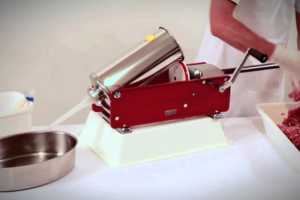
Attachments matter too, but only when they fit your product plan. Sausage funnels, larger trays, and stomper designs can improve workflow. Random extras usually end up in a drawer. Spend on cutting quality first.
Integrating the Mincer into a Processing Workflow
A commercial meat mincer doesn't work in isolation. Even a strong machine becomes a bottleneck if the room around it is laid out badly. In many shops, the underlying problem isn't the output of the machine. It's the extra handling before and after it.

Build the room around product flow
The cleanest layout reduces touches. Trim comes off the bench or bandsaw, moves to the mincer with minimal carry distance, and exits directly into the next task. That might be portioning into trays, feeding a sausage filler, mixing seasoning, or moving to vacuum packing.
A few examples make the point:
- In a retail butcher shop, placing the mincer too far from the prep bench creates wasted walking and more tray handling.
- In a sausage room, if the output lands in undersized tubs that need constant swapping, the filler operator ends up waiting.
- In a central kitchen, a benchtop unit can slow down a whole prep team if only one person can work around it comfortably.
Good flow is boring to look at. That's how you know it works.
The best layouts also respect hygiene zones. Raw input, mincing, post-mince handling, waste, and cleaning access need clear logic. If staff have to cross over each other to dump trim, collect output, and remove waste, you'll lose time and raise contamination risk.
Where bottlenecks usually appear
Most workflow issues show up in one of these places:
- Before the mincer: Meat isn't trimmed or cubed consistently, so feed becomes uneven.
- At the throat: Staff overload the machine because upstream prep is behind schedule.
- At the discharge point: There's no direct handoff into the next machine or packaging station.
- During cleaning: The machine sits in a corner where strip-down and washdown become awkward.
Trolley-mounted floor units can help if your room has multiple processing stations and the machine needs to move between them. Fixed benchtop units can still work well, but only if the surrounding benches and tubs are organised around the machine rather than squeezed in wherever space remains.
This is also the one point in the article where it makes sense to mention a supplier. PSC TRADING Co PTY LTD carries meat-processing equipment such as mincers, bandsaws, sausage fillers, vacuum machines, and packaging consumables, which makes it possible to plan a more connected setup instead of buying each station separately from unrelated ranges.
The simple test is this. Watch your staff process one full batch. If the machine runs fast but the room still feels slow, the bottleneck is in the workflow.
Installation Maintenance and Spare Parts Planning
A good buying decision can still turn into a bad ownership experience if installation is rushed and spare parts planning is left until something breaks. Most operators only notice this after the first stoppage.
Set it up properly from day one
The first check is power. Smaller units often suit standard single-phase setups. Larger industrial machines commonly require three-phase power, particularly the heavy-duty floor-standing units described in the earlier Australian guide. If you get that wrong, the machine might fit the workflow but not the site.
After power, think about the practical basics:
- Bench or floor position: Leave enough room for feeding, collection tubs, and safe strip-down.
- Drainage and washdown access: Staff need to clean the machine without dragging hoses and parts through the room.
- Operator height and reach: If feeding is awkward, fatigue shows up faster.
- Startup routine: Confirm knife, plate, locking ring, and feed components are assembled consistently every shift.
For operators considering a larger-format unit, this Trespade No.32 heavy-duty meat mincer listing is an example of the sort of machine that should prompt power and placement checks before purchase.
Keep the failure points on the shelf
Reactive maintenance is expensive because it stops production at the worst time. Preventive maintenance is plain and repetitive, but that's why it works.
A sensible ownership routine looks like this:
- Daily cleaning: Fully clean food-contact parts, inspect for trapped meat, and check that reassembly is correct before shutdown ends.
- Weekly inspection: On oil-bath gear models, check oil condition and look for signs of unusual vibration or noise.
- Cutting set rotation: Keep knives and plates in matched sets and rotate them before product quality degrades.
- Fast-wear parts stock: Hold spare knives, plates, stompers, seals, and any routine consumables that could stop production if missing.
One machine can shut down a whole line when the failed part is small and cheap. That's why spare parts planning isn't just for large plants. A suburban butcher can lose a morning's production over a worn knife or damaged plate if there's no replacement in the drawer.
The operators who get the best return from a commercial meat mincer aren't always the ones with the most expensive unit. They're the ones who install it correctly, maintain it routinely, and keep the likely failure points close at hand.
Choosing a commercial meat mincer comes down to one question. Will this machine make the room easier to run, or harder? If it matches your volume, handles your product cleanly, passes sanitation scrutiny, and stays in service without constant blade and parts issues, it's doing its job. If it looks affordable up front but creates delays, cleaning problems, and downtime, it isn't cheap at all.
